


Important
Lumary Compatibility: This version of the AU Healthcare Package is compatible with the following Lumary packages. These Lumary packages must be installed prior to updating the AU Healthcare Package.
Contact Lumary for the following package upgrades.
- Lumary: 19.3.19 or greater ( if you are unsure about your Lumary version, please contact you CSM for assistance before upgrading)
- Enrite Services: 1.307 or greater
Skedulo Compatibility: This version of the AU Healthcare Package is compatible with the following Skedulo packages. This version of the Skedulo Package must be installed prior to updating the AU Healthcare Package.
- Skedulo: 102.54 or greater
What’s New?
Resource Calendar
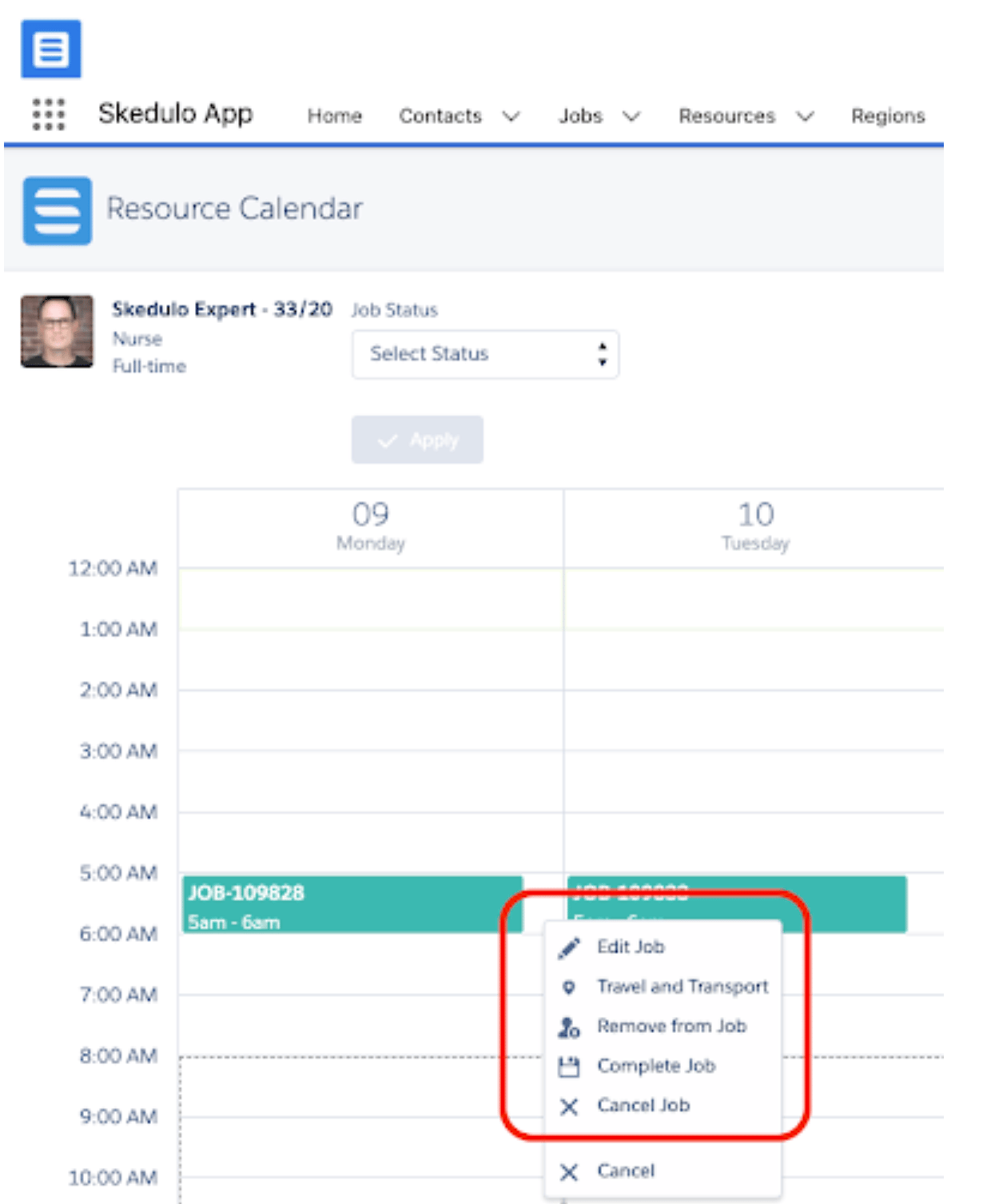
- You can now view or enter Travel and Transport data from a Job on the Resource Calendar. If the Travel and Transport form on the mobile device has been updated, this data will now be visible on the Resource Calendar by right clicking on the job. Existing data can then be edited and new data can be now entered from the Resource Calendar.
Timesheet List View
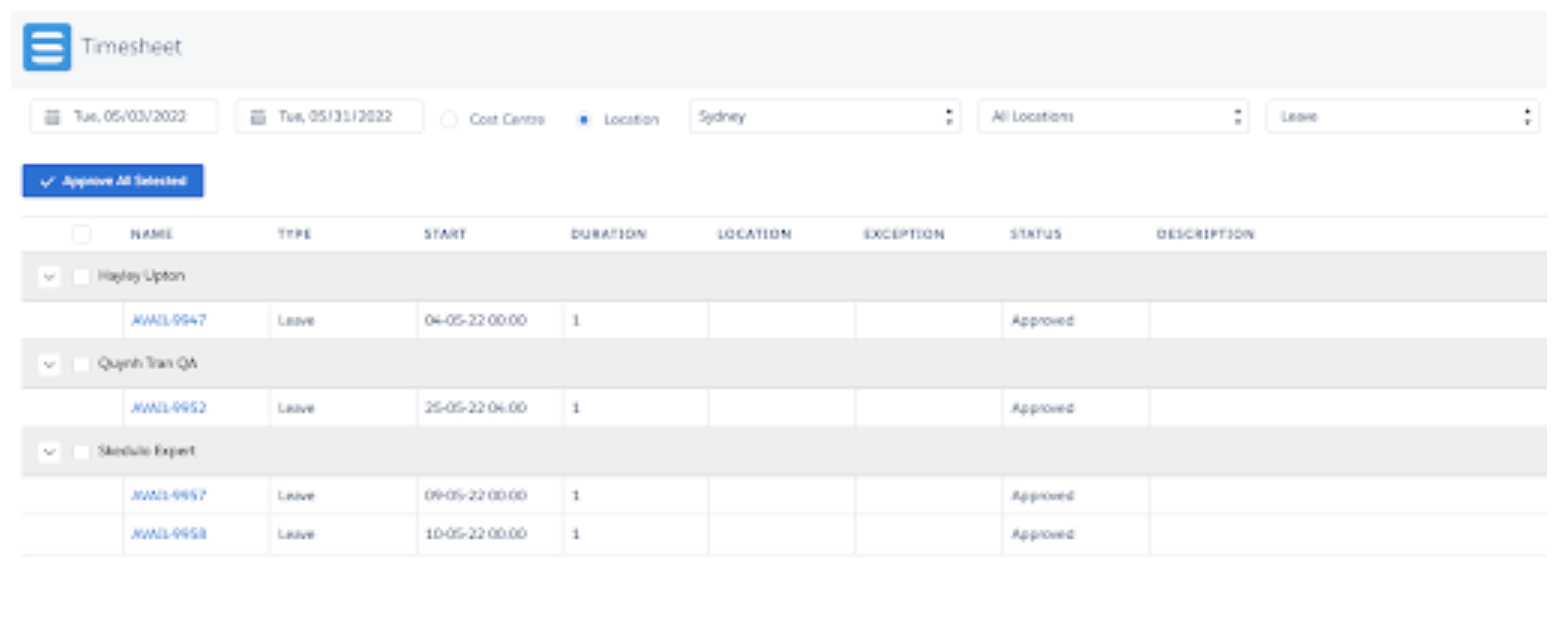
- The timesheet list view now allows users to filter work by ‘leave’. Leave refers to all approved Unavailability requests. All approved leave records will be displayed for that resource.
Bypass Prevent Overclaim
- A new custom setting has been introduced to bypass the overclaim settings on a Service Agreement.
- Bypass_Prevent_Overclaim, value = true/false.
- When set to true, preventing overclaim settings will be bypassed when creating the job and the “All Jobs” option will always be available on the Service Agreement Balance Check
- To enable to custom setting:Setup < Custom Settings < Bypass_Prevent_Overclaim = true
Issues Fixed
- The submit button on the Timesheets custom form in the mobile app is no longer disappearing
Important
Additional Install Component: If you are upgrading from version 1.39 or less this version of the AU Healthcare Package requires the installation of an additional component. Installation is required to enable certain core functionality
Refer to the AUHC Additional Install Component page for further details and steps to perform the installation.
Manual Installation Links
Sandbox: https://test.salesforce.com/packaging/installPackage.apexp?p0=04t8W000003B7wd
Production: https://login.salesforce.com/packaging/installPackage.apexp?p0=04t8W000003B7wd
Please note: You must be a Salesforce Administrator to install this package.